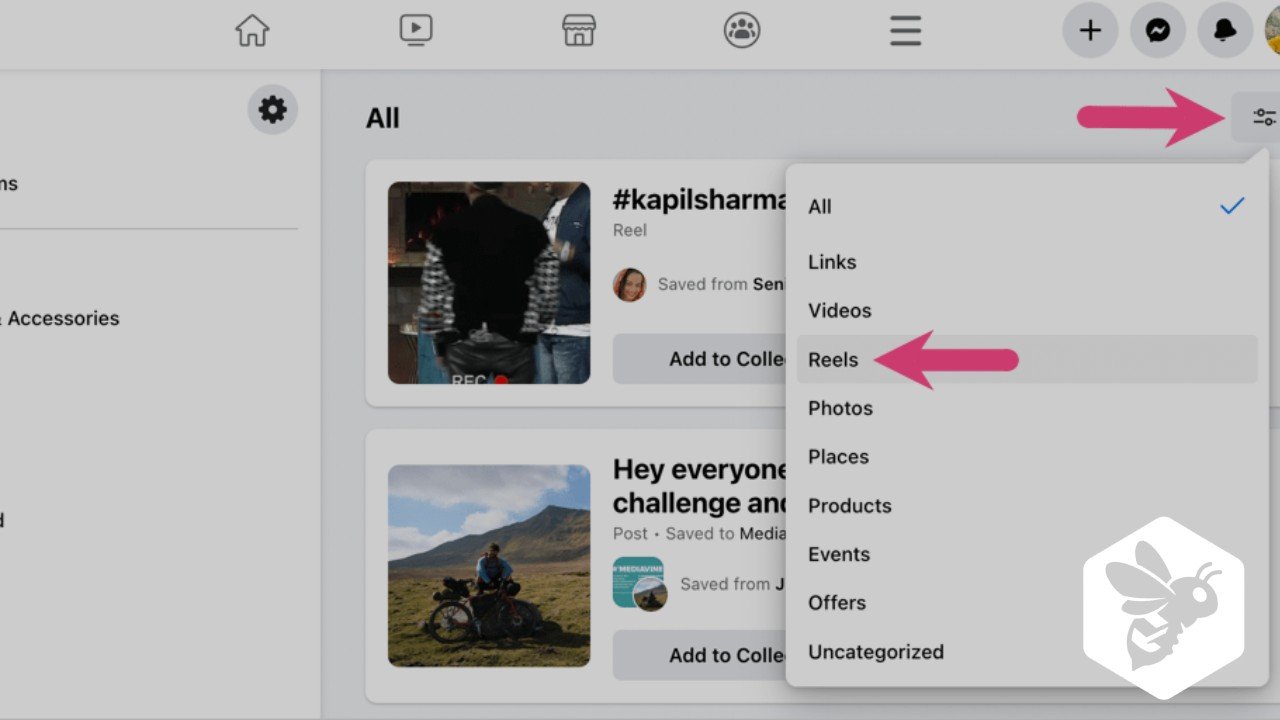
How to Find Liked Reels on Facebook Easily

Facebook Reels have become a popular way to watch and share short, engaging videos. Sometimes, you might watch a Reel you really like and want to view it again. Fortunately, Facebook allows you to keep track of your liked Reels, but the process may not be obvious. In this guide, we will explain step by step how to find liked Reels on Facebook using simple methods.
Understanding Facebook Reels
Facebook Reels are short-form videos similar to TikTok clips. Users can like, share, and comment on them. When you like a Reel, Facebook records it in your activity history, which makes it possible to review them later. Knowing how to access this list ensures you never lose your favorite content.
Key Features of Facebook Reels:
| Feature | Description |
|---|---|
| Short Videos | 15 to 60 seconds clips |
| Liking & Sharing | Users can like, comment, and share Reels |
| Discovery | Facebook suggests Reels based on your interests |
| Activity Tracking | Liked Reels can be viewed in your activity history |
Why Track Your Liked Reels
Tracking your liked Reels is useful for multiple reasons. It helps you revisit entertaining videos, save inspirations, or monitor content trends. Additionally, if you are a creator or social media marketer, understanding your liked content helps in analyzing trends and preferences.
Benefits include:
- Quick access to previously liked videos
- Helps in content curation
- Assists in trend tracking for social media strategies
Also Read: How to See Liked Reels on Instagram Easily
Step-by-Step Guide to Find Liked Reels on Facebook
Finding liked Reels on Facebook is simple once you know where to look. There are two main ways: using the Facebook app and the Facebook website.
Method 1: Using the Facebook Mobile App
- Open the Facebook app on your smartphone.
- Tap on the menu icon (three horizontal lines) in the top-right or bottom-right corner.
- Scroll down and select Settings & Privacy, then tap Settings.
- Go to Activity Log.
- Tap Interactions > Likes and Reactions.
- Filter the activity to Reels.
- You will see a list of all Reels you have liked.
Method 2: Using Facebook Website on Desktop
- Open Facebook on your browser and log in.
- Click on your profile picture in the top-right corner.
- Select Settings & Privacy > Activity Log.
- Click on Interactions in the left menu.
- Choose Likes and Reactions.
- Use filters to select Reels.
These methods help you easily view all Reels you have liked on Facebook.
How to View Saved Facebook Reels
Sometimes you may not have liked a Reel but saved it instead. Facebook provides a separate section for saved content.
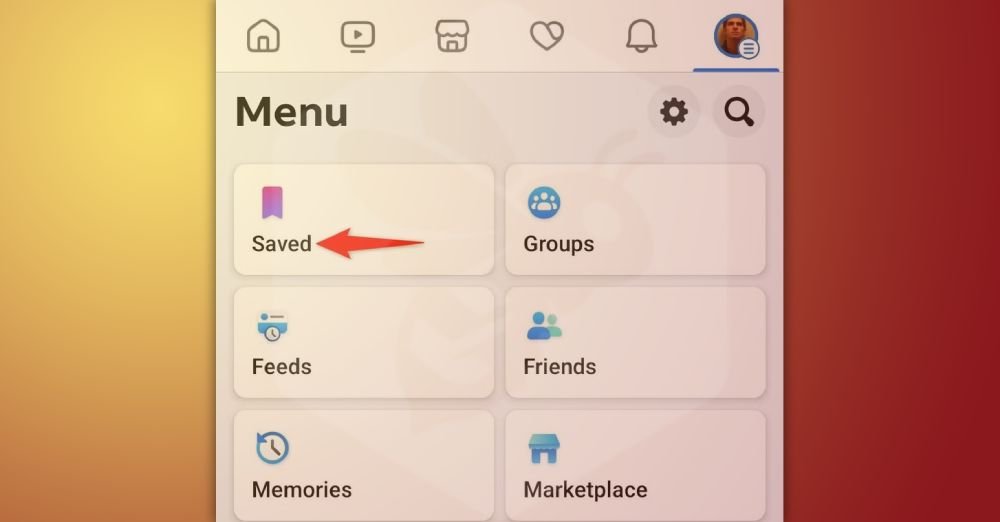
- Open the Facebook app.
- Tap on the menu icon.
- Select Saved.
- You will see all videos, including Reels, that you have saved for later viewing.
This feature is different from liked videos but equally useful for content management.
Using Watch History to Find Liked Reels
Your watch history on Facebook can also help locate liked Reels. By combining liked videos and watch history, you can quickly rediscover videos.
| Option | Location |
|---|---|
| Liked Reels | Activity Log > Likes & Reactions > Reels |
| Saved Reels | Menu > Saved |
| Watch History | Settings & Privacy > Activity Log > Videos Watched |
Tips to Organize Liked Reels
If you like many Reels daily, managing them efficiently is important. Here are some tips:
- Regularly check your liked content to avoid clutter
- Use the Saved feature for organizing Reels by topic
- Create playlists of Reels using third-party apps if needed
- Archive irrelevant liked videos to keep your Activity Log organized
Troubleshooting: Why You Can’t Find Liked Reels
Sometimes users cannot find their liked Reels due to:
- Facebook app not updated
- Reels deleted by the creator
- Privacy settings of the Reel
- Filters in Activity Log not applied correctly
Ensure your app is updated and check filters before assuming the content is lost.
Liked Facebook Clips vs Saved Reels
It is important to differentiate between liked clips and saved Reels.
| Feature | Liked Reels | Saved Reels |
|---|---|---|
| Purpose | Shows appreciation | Saves for later |
| Visibility | Only you can track in Activity Log | Accessible in Saved section |
| Interaction | Can be liked/unliked | Not affected by likes |
Understanding the difference ensures efficient content tracking.
Reels Liked by Me: Privacy Considerations
Only you can see your liked Reels in your Activity Log. However, if someone else has access to your account, they might view them. Facebook keeps this information private by default, providing a secure way to track your interactions without public visibility.
Tips for Social Media Marketers
For marketers and content creators, tracking liked Reels can provide valuable insights into:
- Trending content ideas
- Audience preferences
- Content engagement strategies
By reviewing your liked Reels and watch history, you can better understand which content resonates most with your audience.
Conclusion
Finding liked Reels on Facebook is a simple process once you know where to look. Using the Activity Log, you can easily track all Reels you have liked and revisit them whenever you want. This feature ensures that your favorite content is always within reach.
Additionally, the Saved section and Watch History provide alternative ways to organize and manage Reels. By keeping your liked and saved Reels well-organized, you can enjoy a personalized video experience, stay updated on trends, and make the most out of Facebook’s short-form video platform.
Frequently Asked Questions (FAQs)
Can I see all Reels I liked on Facebook?
Yes, you can view all your liked Reels by opening your Activity Log in Facebook, selecting Likes and Reactions, and filtering specifically for Reels. This shows every Reel you’ve liked, organized chronologically for easy access.
Can others see my liked Reels?
No, your liked Reels are private. Only you can view them through your Activity Log. Facebook keeps this information secure, so other users cannot see your liked videos, ensuring your content preferences remain personal.
What if I accidentally unliked a Reel?
If you accidentally unlike a Reel, it will disappear from your Activity Log. To track it again, you must find the Reel and like it once more. This ensures your list of liked Reels stays updated.
How can I find saved Reels?
Saved Reels are separate from liked Reels. Go to the Saved section in the Facebook menu, where all videos and Reels you saved are stored. This lets you organize content to watch later without liking it.
Can I find liked Reels on both mobile and desktop?
Yes, liked Reels can be found on both platforms. On mobile, use the Facebook app and Activity Log. On desktop, go to Settings & Privacy > Activity Log > Likes and Reactions to filter and view Reels.